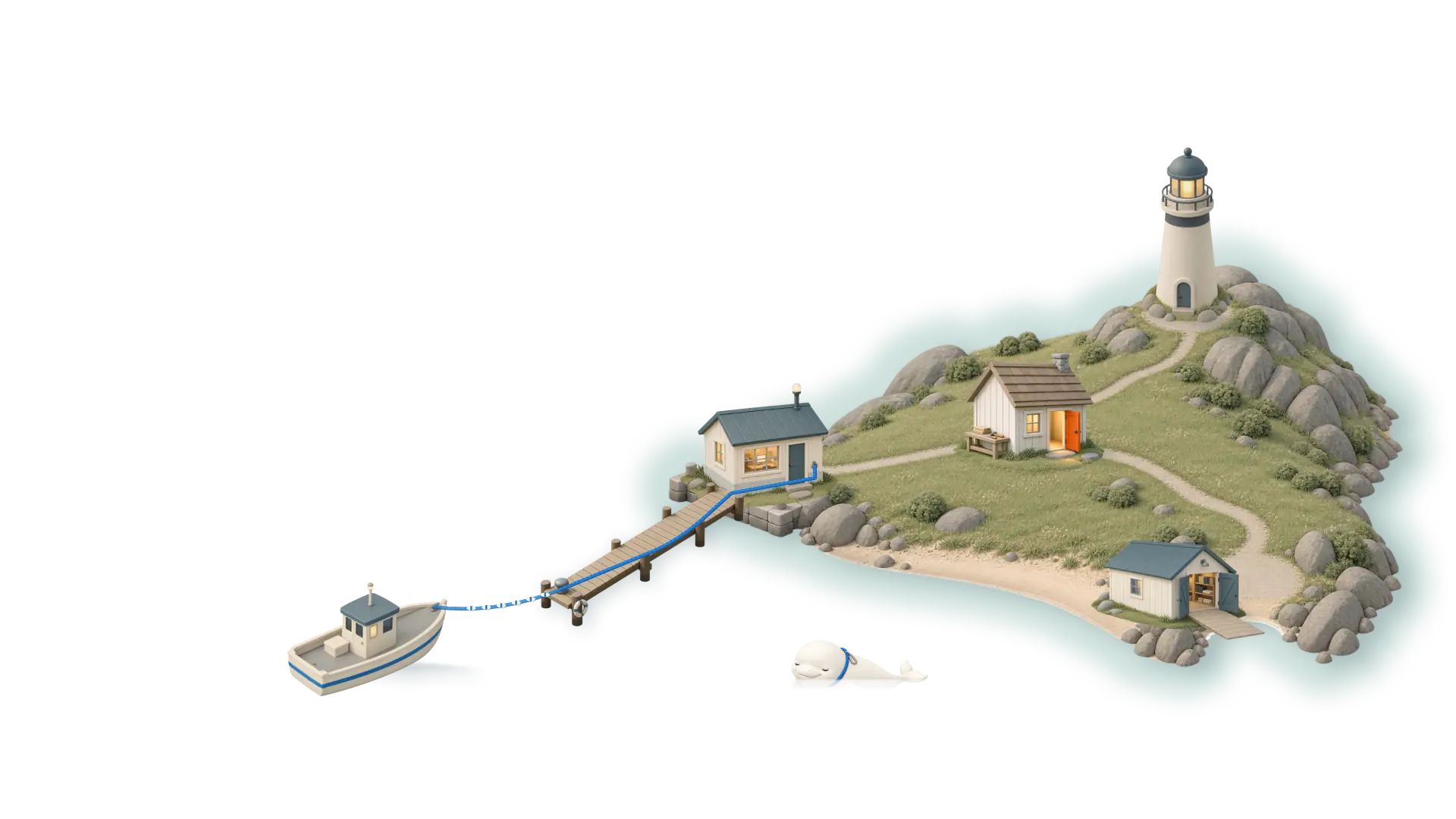
A small harbour. Your computer is home base, in the lit signal station on the quay. A blue line runs from home base to a boat on open water: your phone. At home it runs over your Wi-Fi; away, over your Tailscale tailnet.
To belay is to hold your climbing partner’s rope. Belay holds the line from your phone to your Mac or Windows PC, so you can watch the work and catch it when it needs a decision.
A small host agent runs on your computer, and the phone app connects straight to it, over your own network or Tailscale.
From your phone you get the live screen, a full keyboard, a terminal, your files (read-only), live system stats and the Agent tab.
The screen. Watch it live. Tap, drag, scroll, right-click and type; three-finger swipes switch desktops.
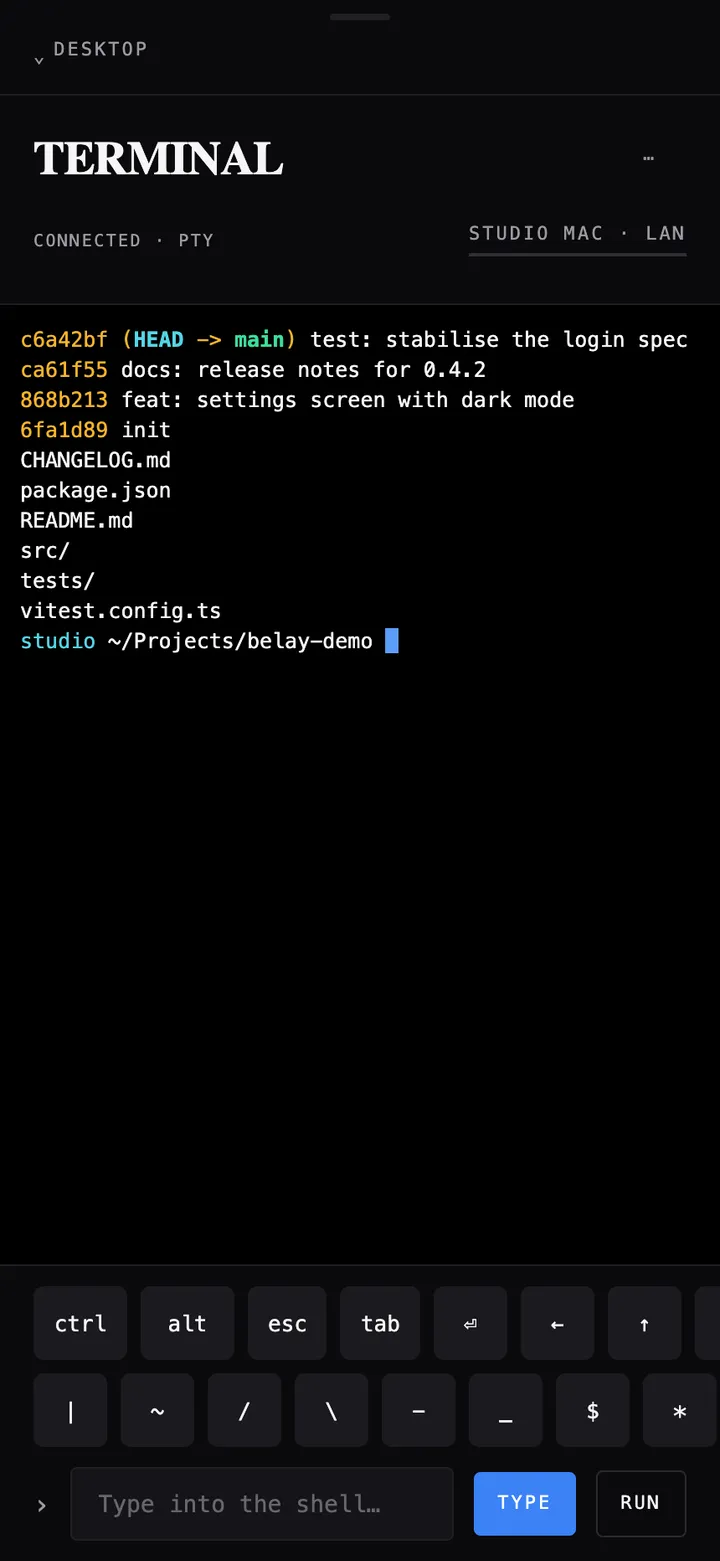
Terminal, files, system. A real shell (run any command-line agent in it), a read-only file browser, and live CPU, memory and disk.
The Terminal tab, on a demo host.
The Agent tab
Sessions started at the keyboard. Watch them live (read-only), answer their asks after npm run hooks:install, and take over when they go quiet.
A nudge (optional). The host pings ntfy or your webhook when Claude Code needs a decision.
Beyond the phone
Desktop client. On another computer, it opens the host’s displays, or each app on a Windows host, as windows.
A controller, on Windows. Your phone, or a paired controller, as a virtual Xbox controller on a Windows host. It needs ViGEm and a development build, and is still in testing; on a Mac you get keyboard and mouse. Gaming guide (opens in a new tab)
Get started
Get startedBuilt from source,on your own machines.
Belay ships as source: no installer, no App Store listing, no Android app or Linux host.
The computer
Mac. macOS 13 or newer, Apple silicon or Intel. Node.js 20+ and the Xcode command line tools. Grant Screen & System Audio Recording and Accessibility to your terminal app; quit and reopen it.
Windows PC. Windows 10 or 11 and Node.js 20+. The helper builds with the .NET Framework already on your PC. Defender may flag it; allow Node through the firewall on private networks.
On either, build and start the host:
git clone https://github.com/MossLouvan/belaycd belay/servernpm installnpm run build:nativenpm start
To belay is to hold your climbing partner’s rope. Belay holds the line from your phone to your Mac or Windows PC, so you can watch the work and catch it when it needs a decision.
A small host agent runs on your computer, and the phone app connects straight to it, over your own network or Tailscale.
From your phone you get the live screen, a full keyboard, a terminal, your files (read-only), live system stats and the Agent tab.
The screen. Watch it live. Tap, drag, scroll, right-click and type; three-finger swipes switch desktops.
Terminal, files, system. A real shell (run any command-line agent in it), a read-only file browser, and live CPU, memory and disk.
The Terminal tab, on a demo host.
The Agent tab
Sessions started at the keyboard. Watch them live (read-only), answer their asks after npm run hooks:install, and take over when they go quiet.
A nudge (optional). The host pings ntfy or your webhook when Claude Code needs a decision.
Beyond the phone
Desktop client. On another computer, it opens the host’s displays, or each app on a Windows host, as windows.
A controller, on Windows. Your phone, or a paired controller, as a virtual Xbox controller on a Windows host. It needs ViGEm and a development build, and is still in testing; on a Mac you get keyboard and mouse. Gaming guide (opens in a new tab)
Get startedBuilt from source,on your own machines.
Belay ships as source: no installer, no App Store listing, no Android app or Linux host.
The computer
Mac. macOS 13 or newer, Apple silicon or Intel. Node.js 20+ and the Xcode command line tools. Grant Screen & System Audio Recording and Accessibility to your terminal app; quit and reopen it.
Windows PC. Windows 10 or 11 and Node.js 20+. The helper builds with the .NET Framework already on your PC. Defender may flag it; allow Node through the firewall on private networks.
On either, build and start the host:
git clone https://github.com/MossLouvan/belaycd belay/servernpm installnpm run build:nativenpm start